Forced Starting Of Display
- Pull back the front corner of left trunk side trim.
- Connect the SCS service connector (A) to the navigation service check conector (B).
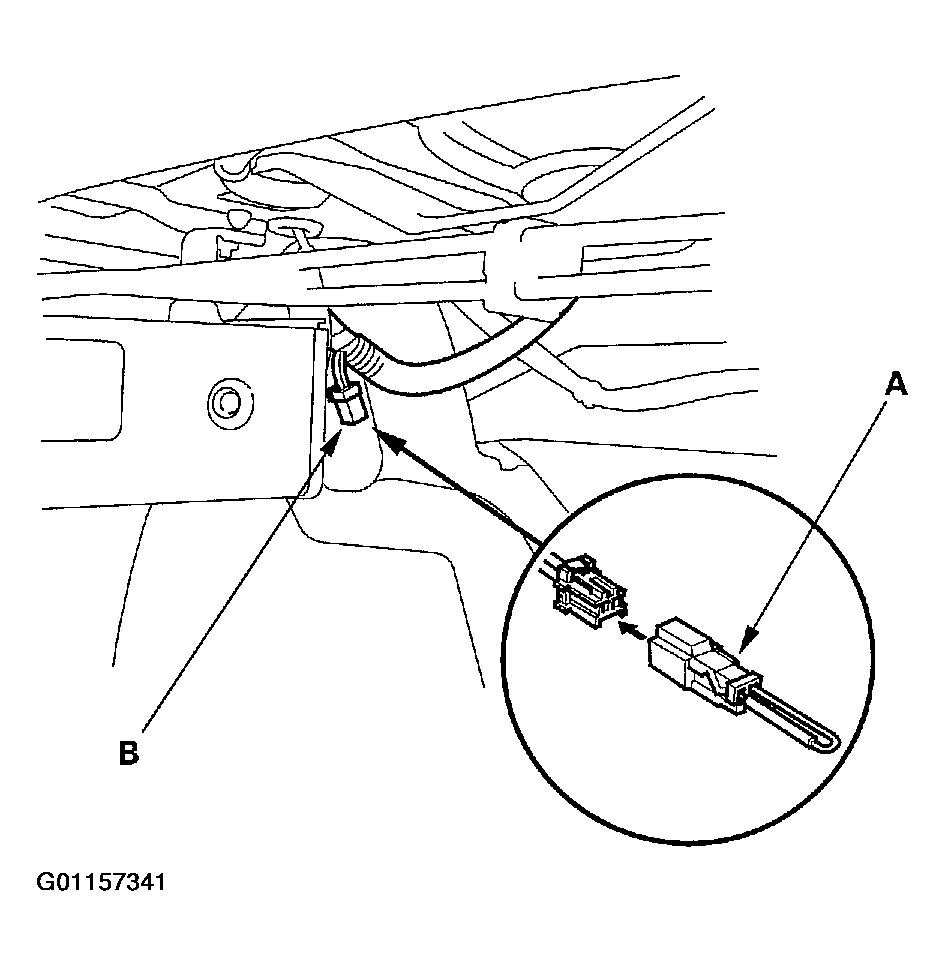 Courtesy of AMERICAN HONDA MOTOR CO., INC.
- Check that the diagnosis menu for the picture diagnosis start up and then changes to the system link screen.
- If the display does not turn on, turn the ignition switch off, press and hold the A/C key (A), press and hold joystick (B) up, then the ignition switch to ACC (I). If the display fails to light or the system link screen is not displayed, refer to NO PICTURE IS SHOWN ON THE DISPLAY
.
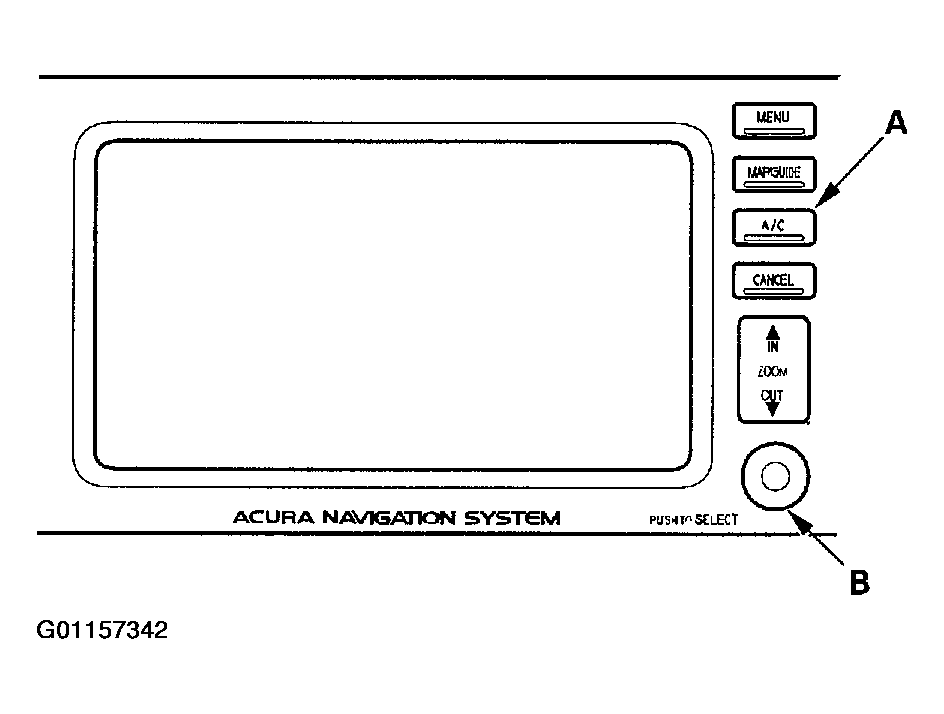 Courtesy of AMERICAN HONDA MOTOR CO., INC.