Horn Switch Test
- Remove the dashboard lower cover (see DASHBOARD LOWER COVER REMOVAL/INSTALLATION
).
- Remove the steering column covers (see STEERING COLUMN REMOVAL AND INSTALLATION
).
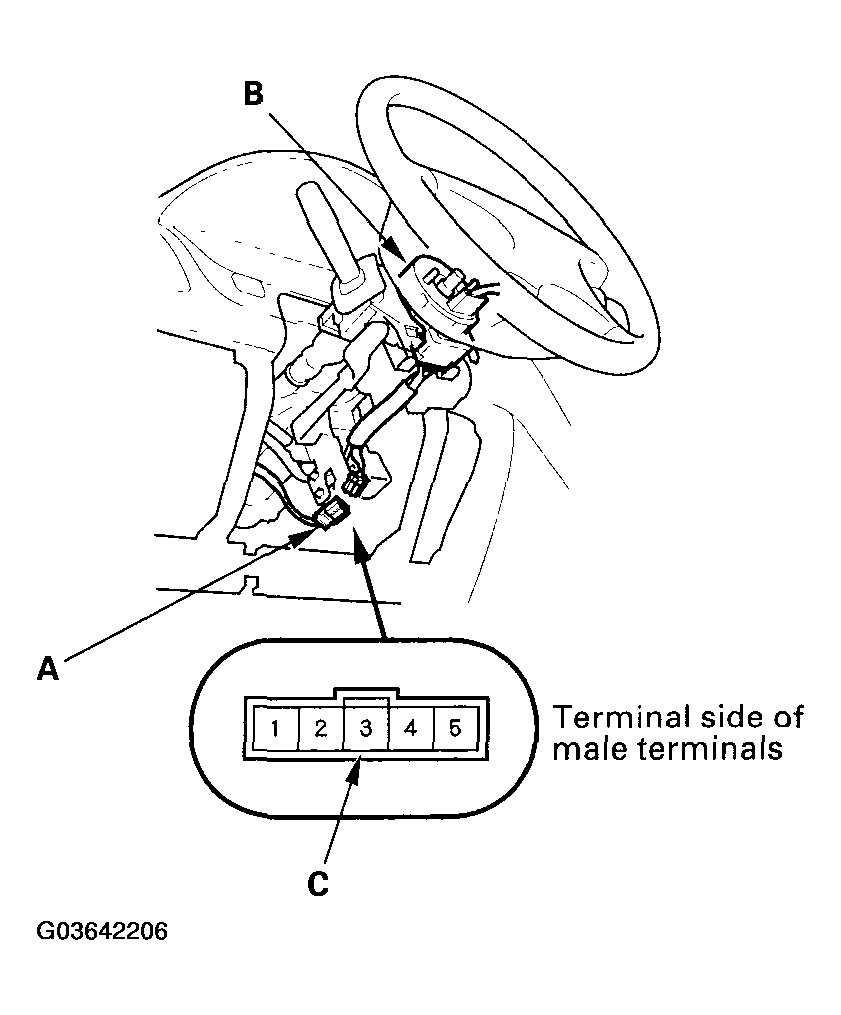
- Disconnect the dashboard wire harness B 5P connector (A) from the cable reel (B).
 Courtesy of AMERICAN HONDA MOTOR CO., INC.
- Connect terminal No. 3 (C) of the dashboard wire harness B 5P connector to ground. The horn should sound.
- If the horn does not sound, inspect the horn relay circuit.
- If the horn sounds, go to step 5.
- Check for continuity between the cable reel No. 2 terminal and body ground with the horn switch pressed.
- If there is continuity, the switch is OK.
- If there is no continuity, go to step 6.
- Remove the driver's airbag assembly (see DRIVER'S AIRBAG REPLACEMENT
).
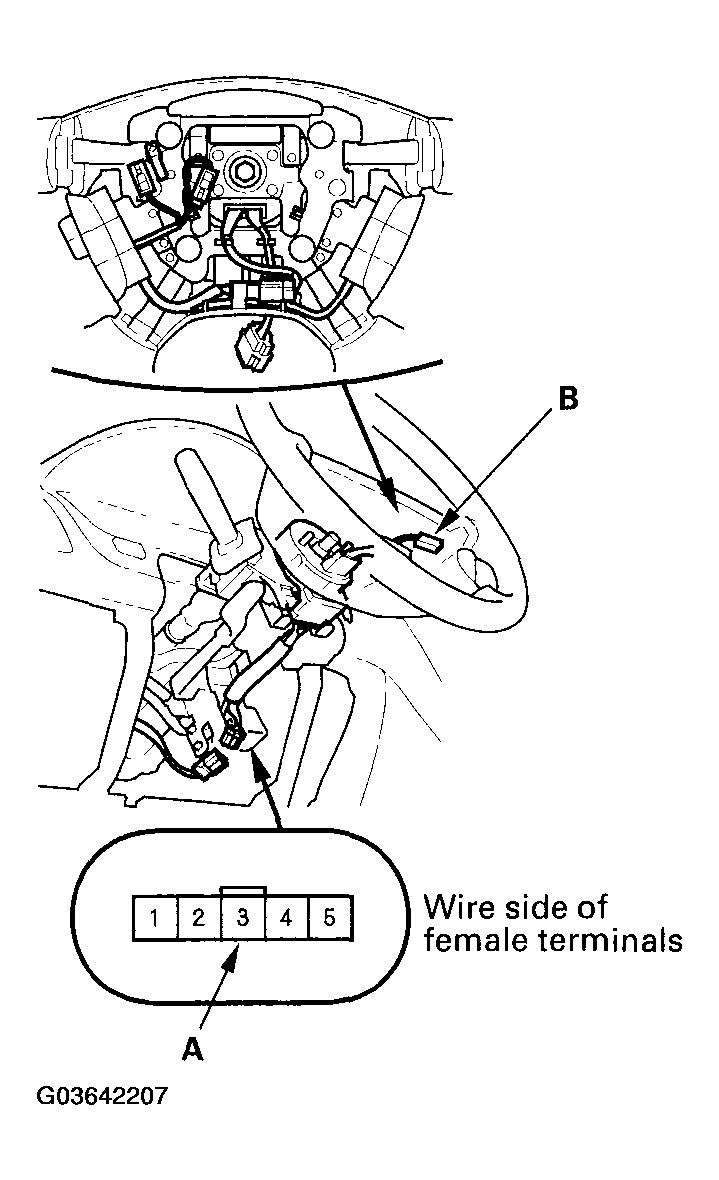
- Check for continuity between the cable reel No. 3 terminal (A) and the horn switch positive terminal (B).
- If there is no continuity, check for continuity of the radio remote switch harness. If the harness is OK, replace the cable reel (see CABLE REEL REPLACEMENT
) and check for proper operation.
- If there is continuity, go to step 8.
 Courtesy of AMERICAN HONDA MOTOR CO., INC.
- Check for continuity between the center of the steering column and ground.
- If there is continuity, replace the airbag.
- If there is no continuity, replace the steering column.