Wheel Speed Sensor Replacement: Rear
- Turn the ignition switch to LOCK (0).
- Disconnect the wheel speed sensor connector (A).
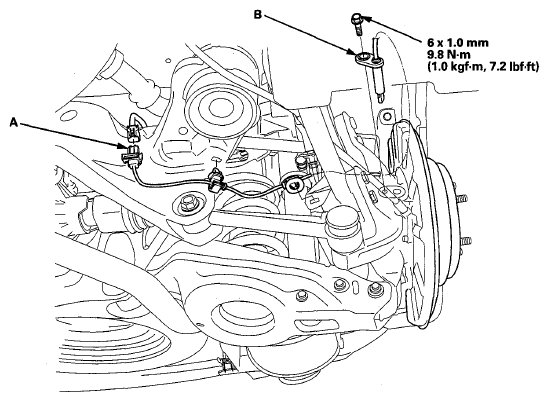 Courtesy of AMERICAN HONDA MOTOR CO., INC.
- Remove the clips, the bolt, and the wheel speed sensor (B).
- Install the wheel speed sensor in the reverse order of removal, and note these items:
- Install the sensor carefully to avoid twisting the wires.
- If the wheel speed sensor comes in contact with the hub bearing unit, it is faulty.
- Start the engine, and check that the ABS, the VSA indicators, and the trailer stability assist warning goes off.
- Test-drive the vehicle, and check that the ABS, the VSA indicators, and the trailer stability assist warning do not come on.