Programming Zone Variation
- Using the Variance Zone map, find your geographic location and note the zone number. See Fig 1.
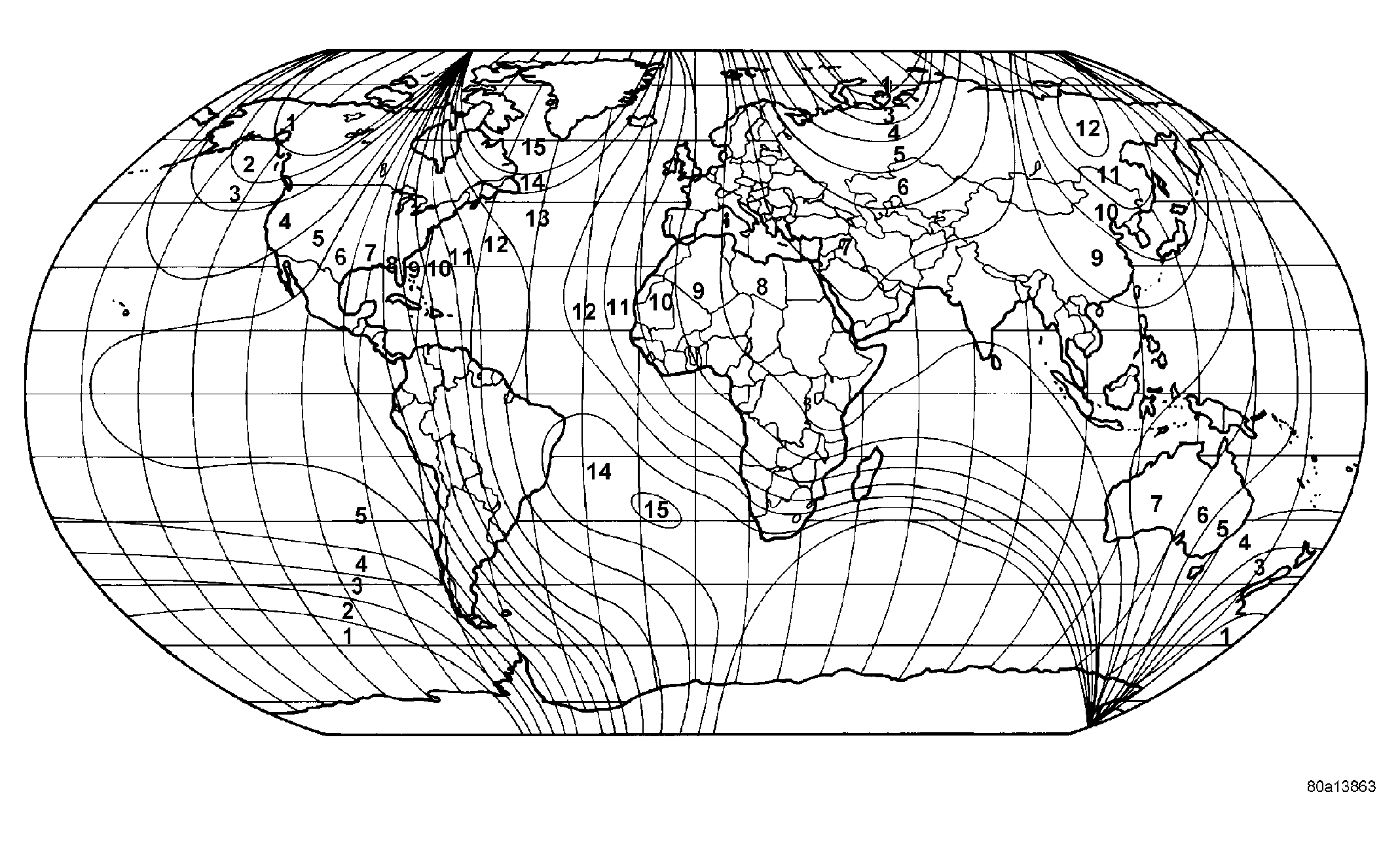 Courtesy of DAIMLERCHRYSLER CORP.
- Turn the ignition switch to the On position. If the compass/temperature data is not currently being displayed, momentarily depress and release the Step push button to step through the display options until you have reached the compass/temperature display.
- Depress the Step push button and hold down until the compass mini-trip computer enters the variation adjustment mode and "VAR" along with the current variance zone will appear in the display.
- Momentarily depress and release the Step push button to step through the zone numbers, until the zone number for your geographic location appears in the display.
- After five seconds, the displayed zone will automatically be set in the compass mini-trip computer module memory and normal operation will resume.
- Confirm that the correct directions are now indicated by the compass.