Communication With Scan Tool Not Possible
- Using a voltmeter, check for battery voltage at Data Link Connector (DLC) terminal No. 16 (Red/Black wire). If battery voltage does not exist, go to next step. If battery voltage exists, proceed to step 7).
- Check for battery voltage at relay box Fuse No. 10, Red wire. If battery voltage exists, check fuse. If fuse is okay, go to next step. If battery voltage does not exist, repair open between relay box fuse Red wire and fusible link. See WIRING DIAGRAM
.
- Check for battery voltage at junction block connector B-75, terminal No. 12. See Fig 2
. If battery voltage does not exist, repair open between junction block and fuse. If battery voltage exists, go to next step.
- Check for battery voltage at junction block connector B-50, terminal No. 10. See Fig 1
. If battery voltage does not exist, repair open junction block. If battery voltage exists, go to next step.
- Check for battery voltage at Junction Connector 1 (J/C 1) terminal No. 3. J/C 1 is located at top left of instrument panel. If battery voltage does not exist, repair open Red/Black wire between junction block and J/C 1 as required. If battery voltage exists, go to next step.
- Check for battery voltage at J/C 1 terminal No. 6. If battery voltage does not exist, repair open J/C 1. Go to step 5). If battery voltage exists, repair open Red/Black wire between J/C 1 and DLC terminal No. 16.
- Using an ohmmeter, check for continuity between data link connector terminals No. 4 (Black wire) and No. 5 (Black/White wire) and ground. If no continuity exists, repair open to ground. If continuity exists, replace scan tool.
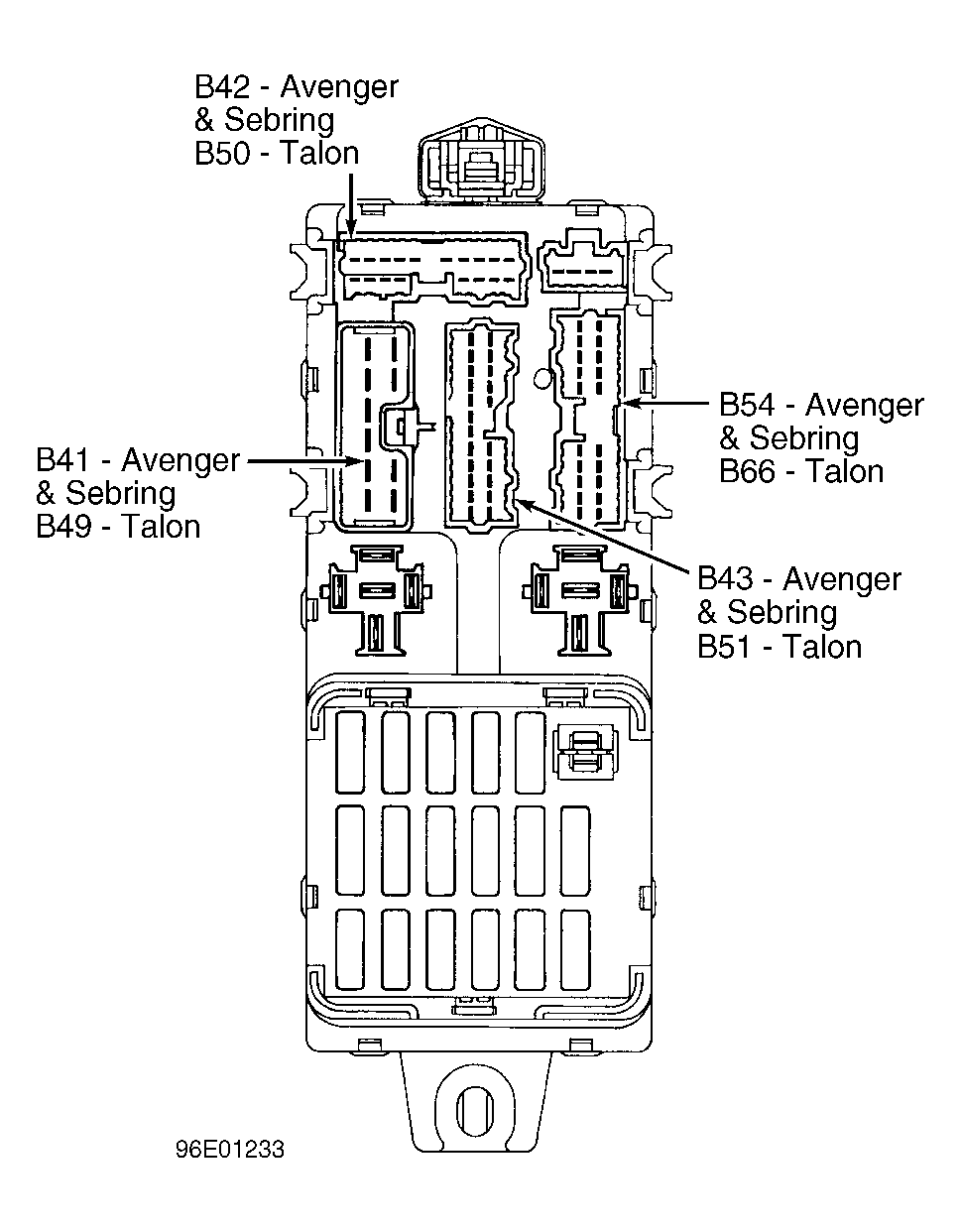 Courtesy of CHRYSLER CORP.
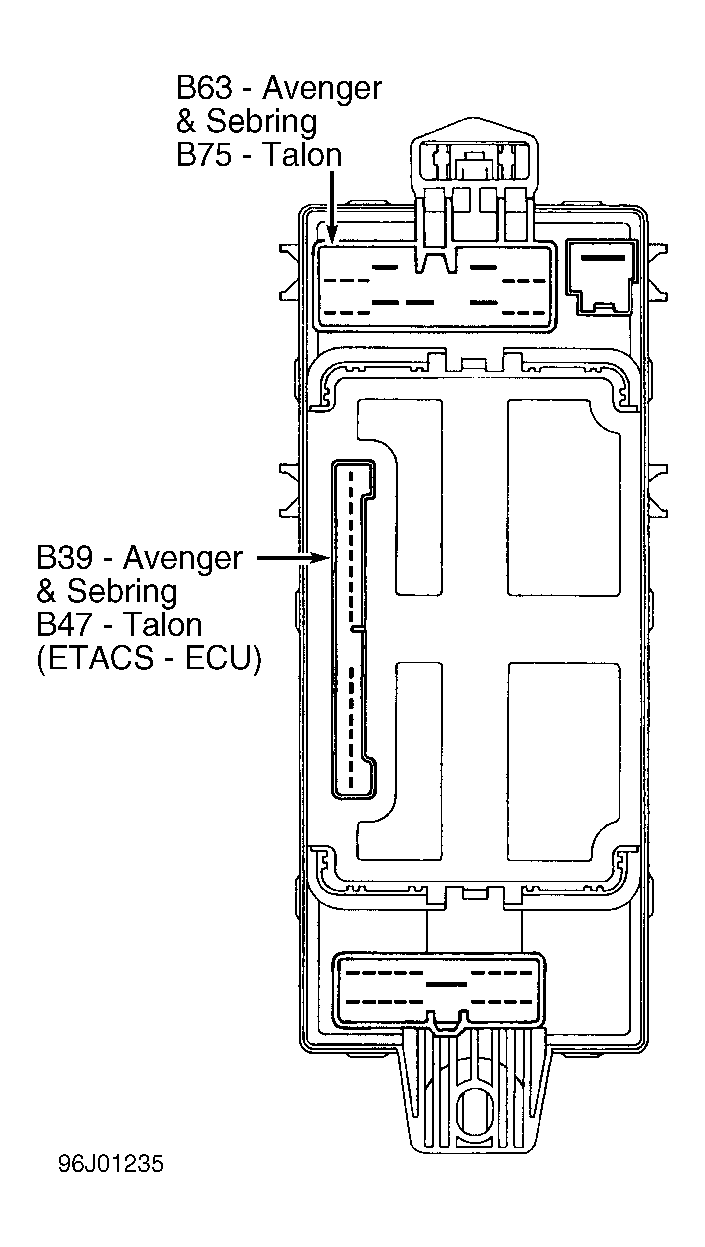 Courtesy of CHRYSLER CORP.