Speed Sensor Replacement
- Disconnect the connectors from the CVT input shaft (drive pulley) speed sensor (A), the CVT output shaft (driven pulley) speed sensor (B), and the CVT speed sensor (C).
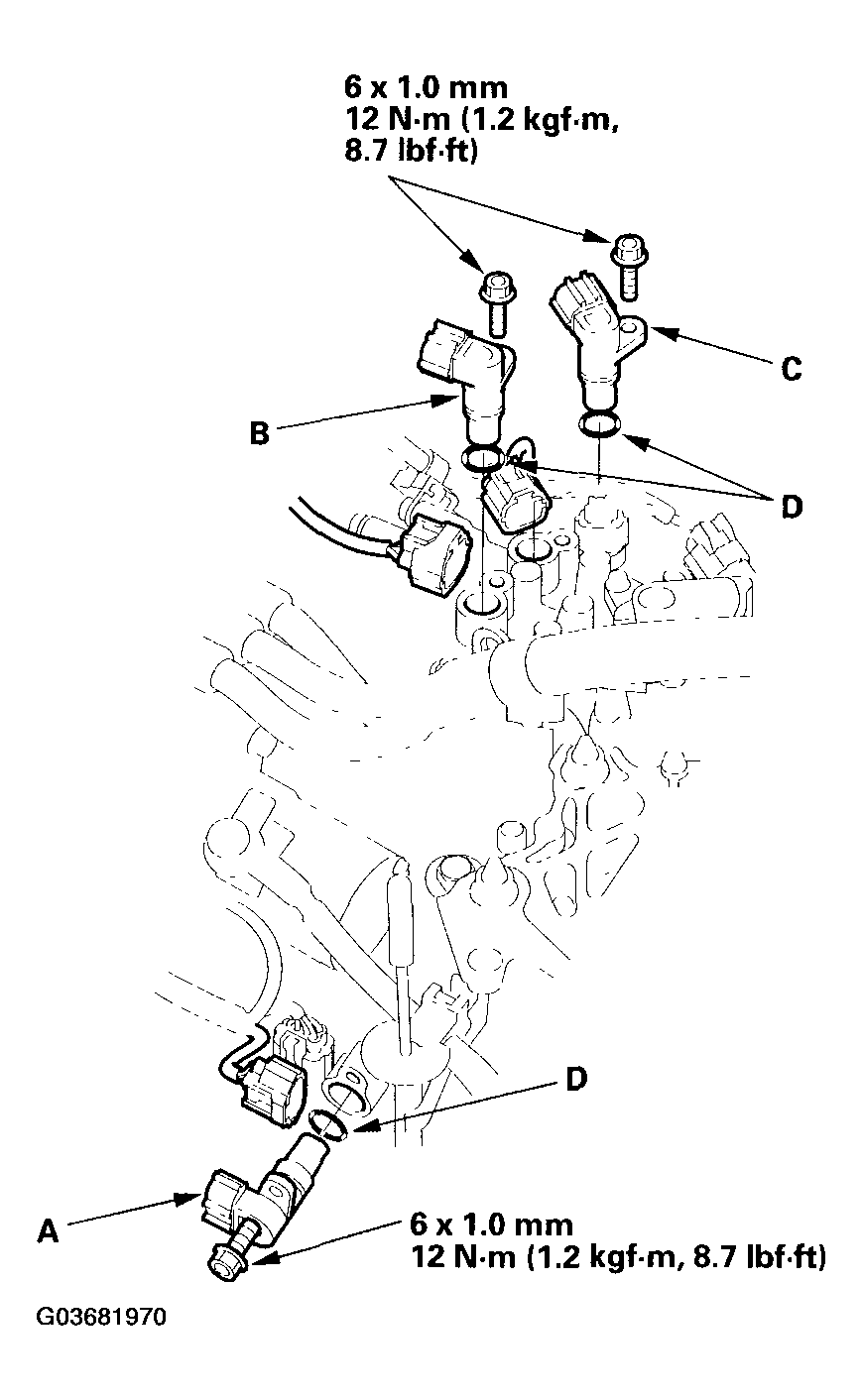 Courtesy of AMERICAN HONDA MOTOR CO., INC.
- Remove the 6 mm bolts, then remove the speed sensors.
- Replace the O-rings (D) with new ones before installing the speed sensors.
- Install the CVT input shaft (drive pulley) speed sensor, CVT output shaft (driven pulley) speed sensor, and CVT speed sensor.
- Check the speed sensor connectors for rust, dirt, or oil, then connect the connectors securely.