Smart Key Code Registration (Using GDS)
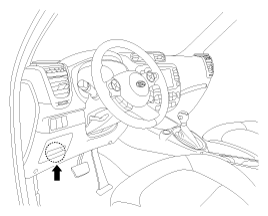
- Connect the DLC cable of GDS to the data link connector (16 pins) in driver side crash pad lower panel, turn the power on GDS.
 Courtesy of KIA MOTORS AMERICA, INC.
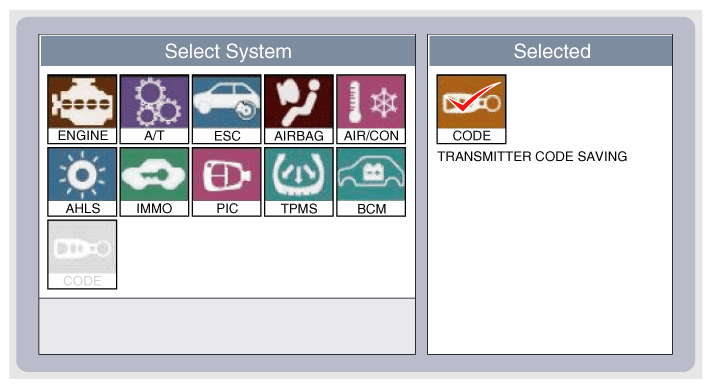
- Select the vehicle model and then perform Smart Key Code Saving
"CODE SAVING".
 Courtesy of KIA MOTORS AMERICA, INC.
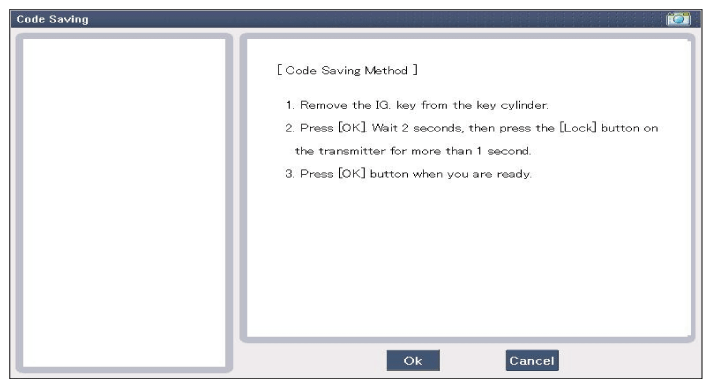
- After selecting "CODE SAVING" menu, press the "ENTER" button to display the following screen.
 Courtesy of KIA MOTORS AMERICA, INC.
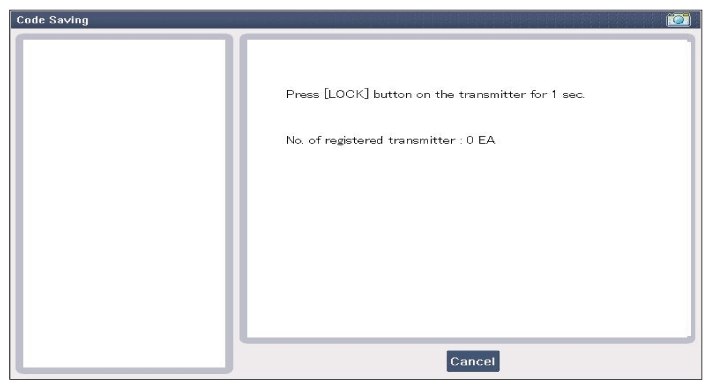
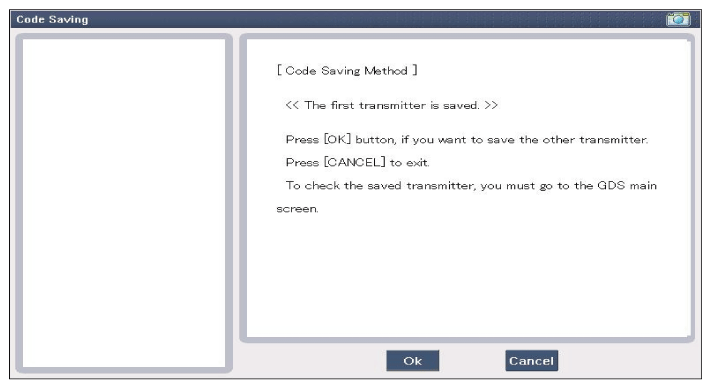
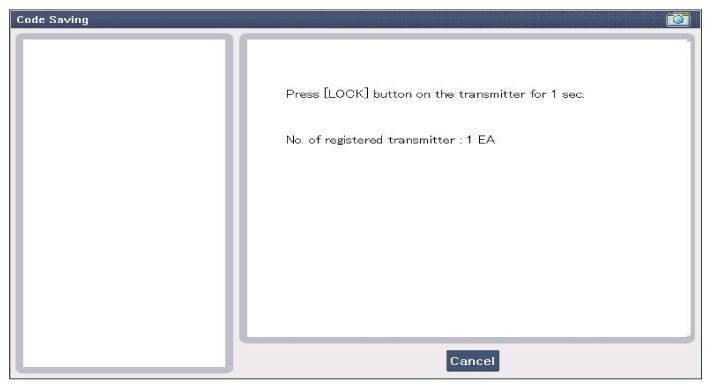
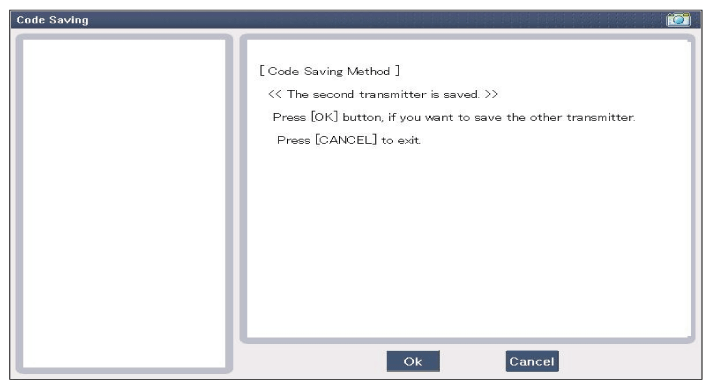
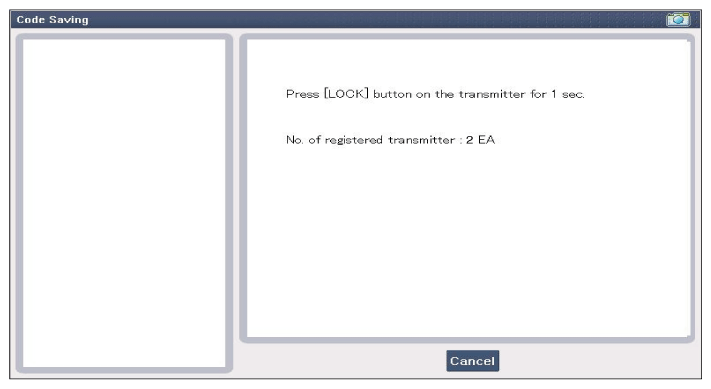
- After pushing the SSB to "OFF", push "ENTER" key to proceed to the next mode for code saving. Follow steps 1 to 4 and then code saving is completed.
 Courtesy of KIA MOTORS AMERICA, INC.
 Courtesy of KIA MOTORS AMERICA, INC.
 Courtesy of KIA MOTORS AMERICA, INC.
 Courtesy of KIA MOTORS AMERICA, INC.
 Courtesy of KIA MOTORS AMERICA, INC.
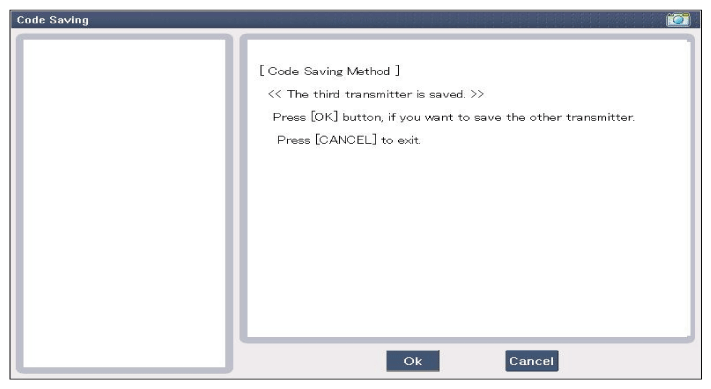 Courtesy of KIA MOTORS AMERICA, INC.
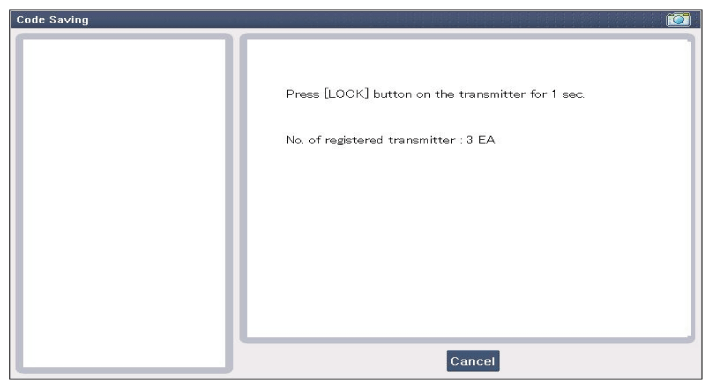 Courtesy of KIA MOTORS AMERICA, INC.
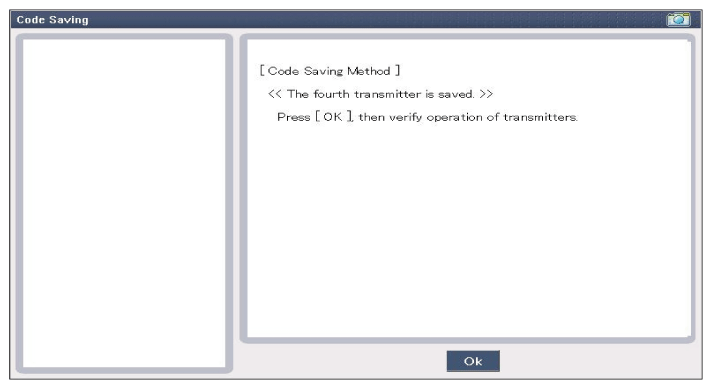 Courtesy of KIA MOTORS AMERICA, INC.
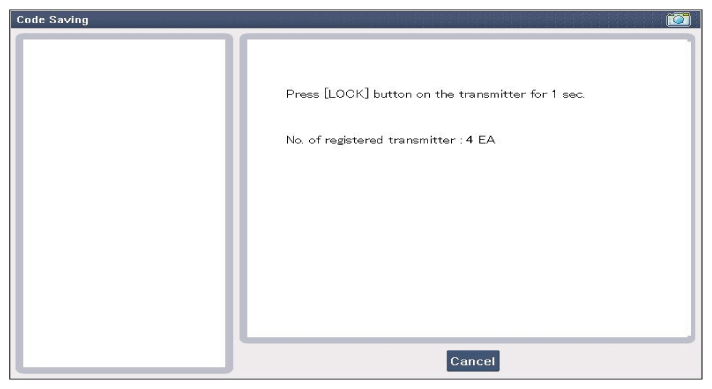 Courtesy of KIA MOTORS AMERICA, INC.